Deployment & Configuration
Setting up the integration involves installing the AxoRouter and configuring NFO to point its output to the router's listener.
1. Prerequisites
- An active Axoflow subscription (or evaluation access).
- A Linux host for AxoRouter (Red Hat 9 is recommended for production).
- Network connectivity between the NFO Server and the AxoRouter host on the designated syslog port (typically UDP 514).
2. Install AxoRouter
AxoRouter acts as the ingestion point for your network telemetry.
- Log in to your AxoConsole.
- Navigate to Routers and follow the instructions to install AxoRouter on your Linux host.
- Once installed, verify the router is "Online" in the AxoConsole.
- Ensure a Syslog Source is enabled on the router (Axoflow typically enables a default listener on UDP 514).
3. Configure NFO Output
Set NFO to stream data to the AxoRouter.
- In the NFO GUI, go to Outputs and click (+).
- Name:
Axoflow_Router - Type: Select Syslog (UDP).
- Address: Enter the IP address of your AxoRouter host.
- Port:
514(or the port configured in AxoConsole).
4. Verify the Pipeline
Check that data is flowing correctly through the Axoflow management plane.
- AxoConsole Topology: Open the Topology page in AxoConsole. You should see your NFO source connected to the AxoRouter.
- Log Tapping: Use the Axoflow "Log Tapping" feature to view a live sample of the logs arriving from NFO to ensure they are being parsed correctly.
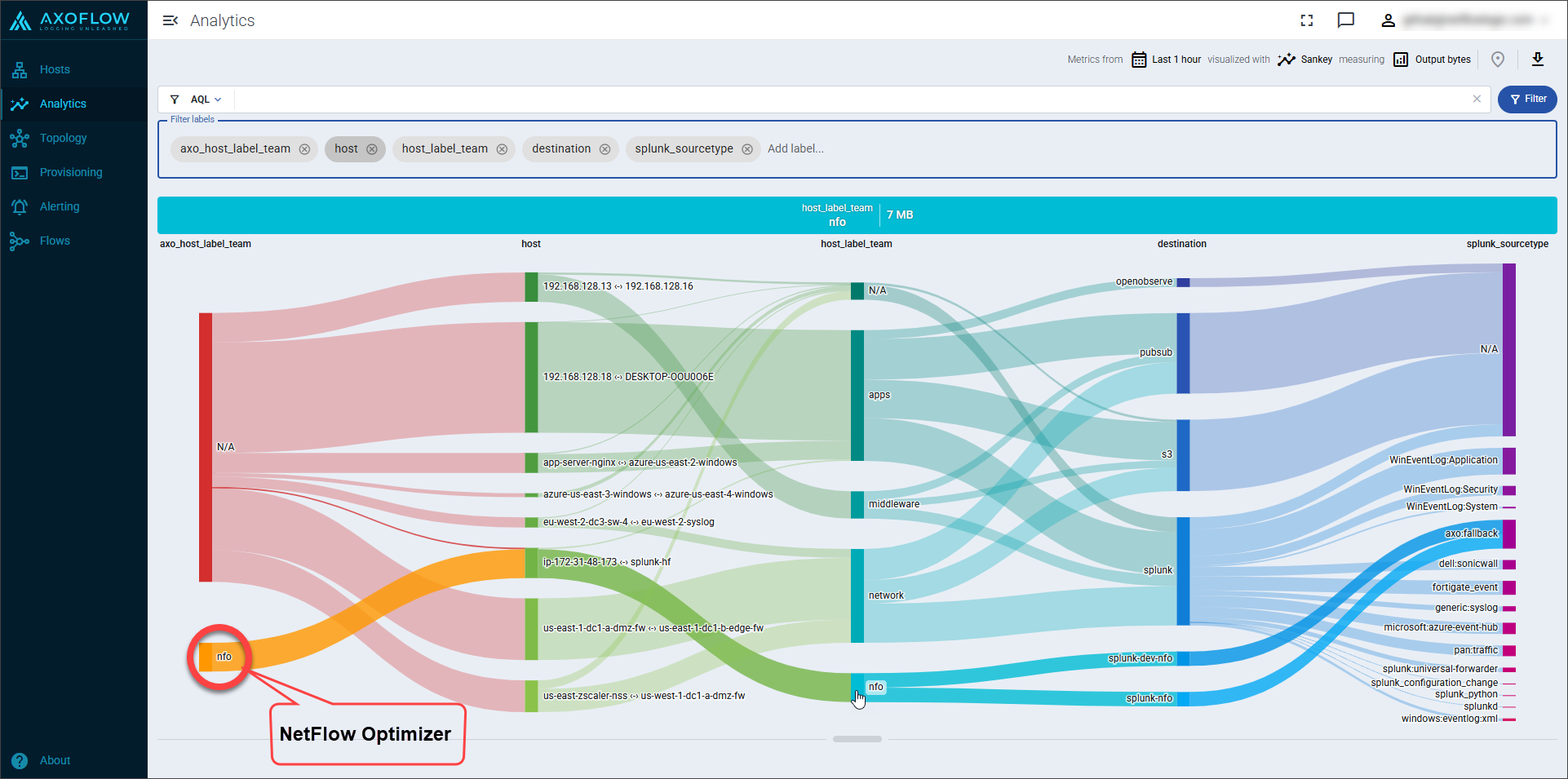
- Analytics & Flow: Navigate to the Analytics page in AxoConsole to visualize the data flow. You can use the Sankey diagram to verify that NFO data is being correctly routed to your intended destinations.