GeoIP and ASN Enrichment
Leveraging Geographic (GeoIP) and Autonomous System Number (ASN) data transforms "naked" IP addresses into actionable intelligence. By incorporating location and network ownership information, organizations can identify anomalous traffic patterns, detect "impossible travel" security threats, and optimize network performance across hybrid environments.
NetFlow Optimizer supports GEOIP2, GeoLite2, IP2Location LITE (DB1 and DB5) databases. You need to sign up for a GeoLite2 account at https://dev.maxmind.com/ or for IP2Location Lite https://lite.ip2location.com/ip2location-lite to get FREE IP geolocation and ASN data.
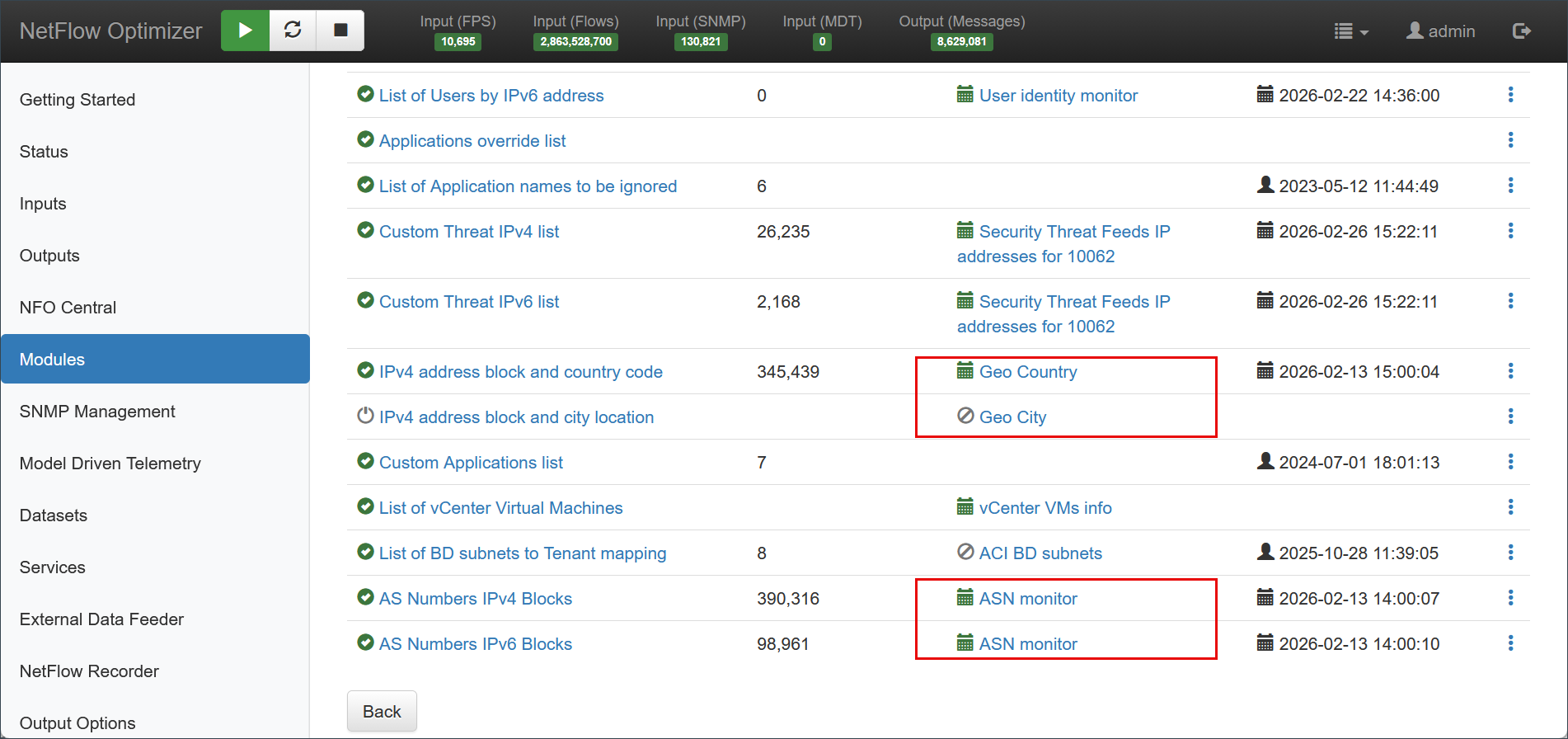
To configure integration with MaxMind, on the left navigation bar select Modules, open Network Conversations Monitor set by clicking on ..., and click on Module configuration 10062: Network Conversations Monitor. Scroll down to EDFN Agent Geo Country, Geo City, or ASN Monitor and click on it.
Configuration Settings
Both Geo-IP and ASN enrichment are configured using the same parameters but require different database URLs to fetch the respective data.
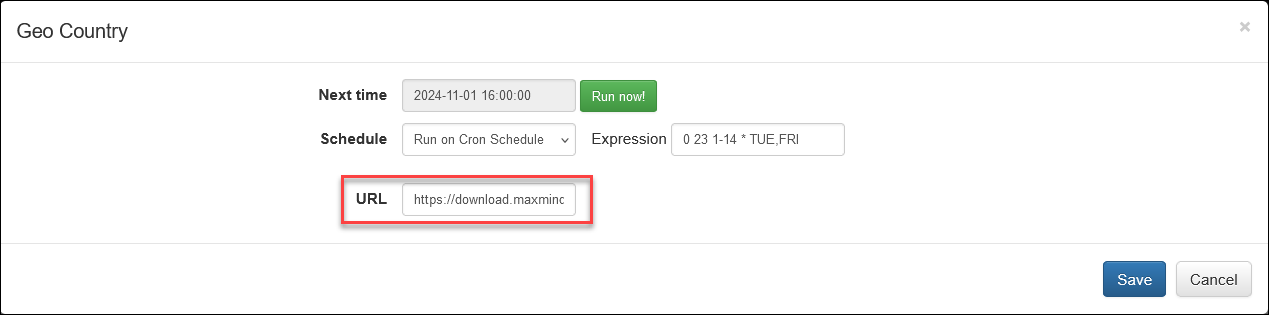
On this screen you can configure the following parameters:
Cron Schedule
IP geolocation lists are updated on cron schedule set here.
URL
NFO supports both MaxMind and IP2Location database formats. To enable automatic updates, provide the specific URL for your chosen vendor in the URL field, ensuring you replace the placeholder tokens with your actual license keys.
MaxMind (GEOIP2 / GeoLite2)
Once you register and generate your MaxMind license key, replace YOUR_LICENSE_KEY with your actual key in the URL:
- Geo-IP (City/Country):
https://download.maxmind.com/app/geoip_download?edition_id=GeoLite2-City-CSV&license_key=YOUR_LICENSE_KEY&suffix=zip
- ASN:
https://download.maxmind.com/app/geoip_download?edition_id=GeoLite2-ASN-CSV&license_key=YOUR_LICENSE_KEY&suffix=zip
IP2Location
If using IP2Location, use the following URL formats, replacing {token} with your IP2Location download token:
- Geo Country:
https://www.ip2location.com/download/?token={token}&file=DB1LITE
- Geo City:
https://www.ip2location.com/download/?token={token}&file=DB5LITE
- ASN (ISP/Organization):
https://www.ip2location.com/download/?token={token}&file=DBASNLITE
Verifying Configuration
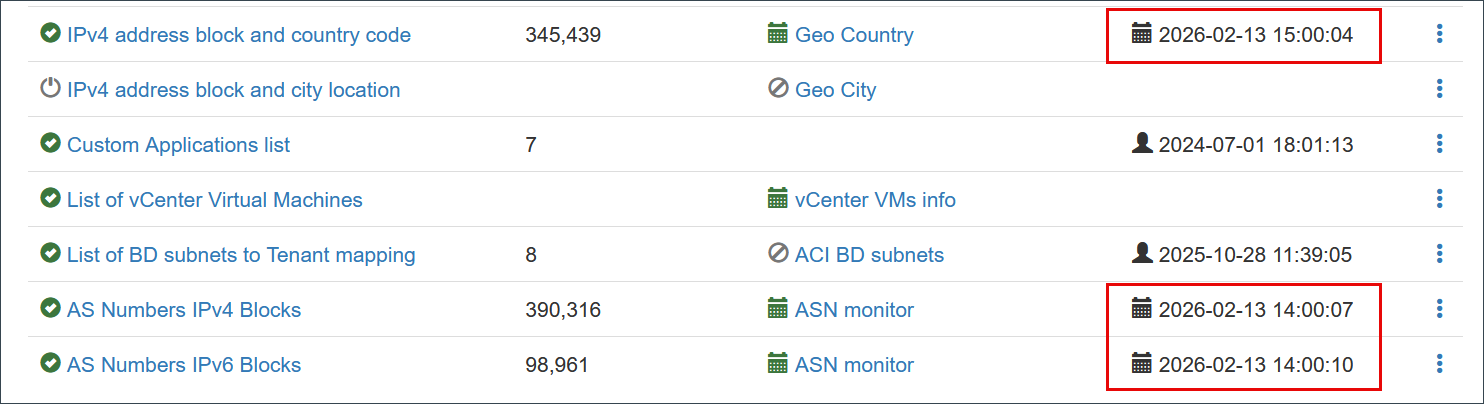
When configuration is completed, save it, then open again and press green Run now button. You should see the list and timestamp updated: