Data Services
Data Services are global utilities that refine, format, route, and retain your enriched telemetry. While Enrichment adds context to a flow, Data Services ensure that the information is formatted correctly for your destination, preserved for forensic "look-back" analysis, and delivered efficiently across your infrastructure.
1. NetFlow Recorder
The NetFlow Recorder enables you to look back in time to investigate security issues or network anomalies. Unlike standard real-time streaming, the Recorder captures flow records into memory or onto disk, allowing you to "replay" historical traffic to your SIEM or other analytical tools.
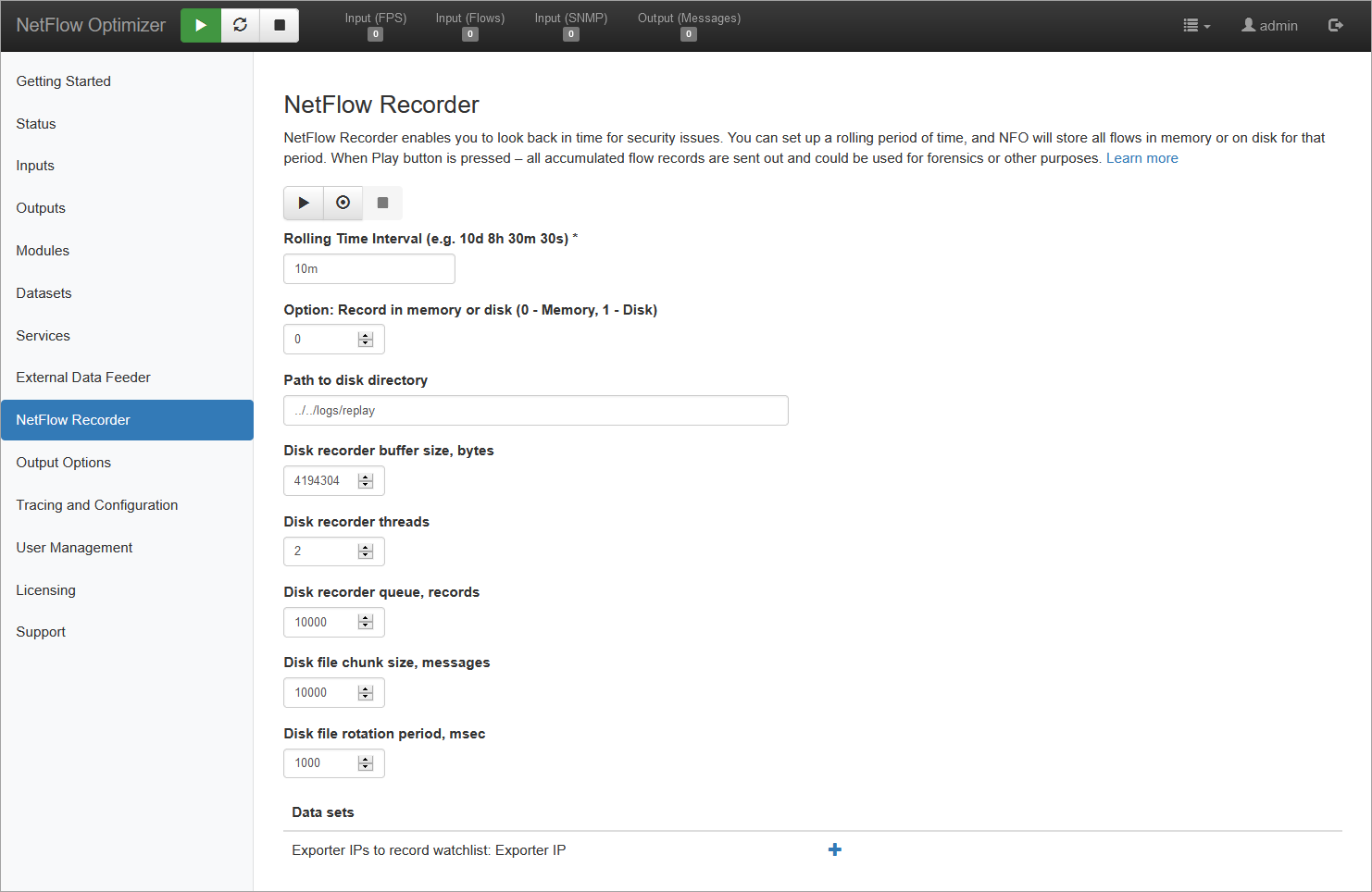
Please enable throttling if NFO output is configured to send data out over UDP network. Without throttling NFO will send all recorded *flows instantly, which may result in losses. Add the following lines to /server/etc/server.cfg
THROTTLE_OUTPUT 1
THROTTLE_OUTPUT_RATE 1000
Throttling output rate is the number of syslogs/JSON messages to be sent out every second.
Play, Start recording, Stop recording buttons

Press  to start capturing flow records. Press
  button to send recorded flow records in syslog or JSON format to your SIEM to gain complete visibility of past network traffic. Press
  to stop recording.
The service has the following parameters:
| Parameter | Description |
|---|---|
| Rolling Time Interval | Rolling time period for continues recording of flow records. You can specify a time unit after a time value 'X', such as Xd, Xh, Xm, or Xs to represent days (d), hours (h), minutes (m), and seconds(s) respectively. (e.g. 10d 8h 30m 30s). Default 10 minutes |
| Record in memory or disk (0 - Memory, 1 - Disk) | You have an option to keep recorded flow records in memory or on disk |
| Path to disk directory | If you selected disk option above, set the path to directory where flow records will be recorded. Default is ../../logs/replay |
| Disk recorder buffer size, bytes | The size of the memory buffer block for flow records to be accumulated before written to disk. Default is 4MB (4194304 bytes) |
| Disk recorder threads | The number of processor threads reserved for writing data to disk. Default is 2 |
| Disk recorder queue, records | Size of the buffer to hold records in queue in case of peaks in incoming flow records. Default is 10,000 |
| Disk file chunk size, messages | File rotation size in number of messages. Default is 10,000 (*) |
| Disk file rotation period, msec | File rotation time interval in msec. Default is 1 sec (*) |
| Exporter IPs to record watchlist | If you want to limit capture and replay to a number of NetFlow exporters, you can specify their IP addresses here |
(*) The file is closed when the specified number records (chunk size) is written or file rotation time elapses, whichever comes first.
2. Output Dictionary
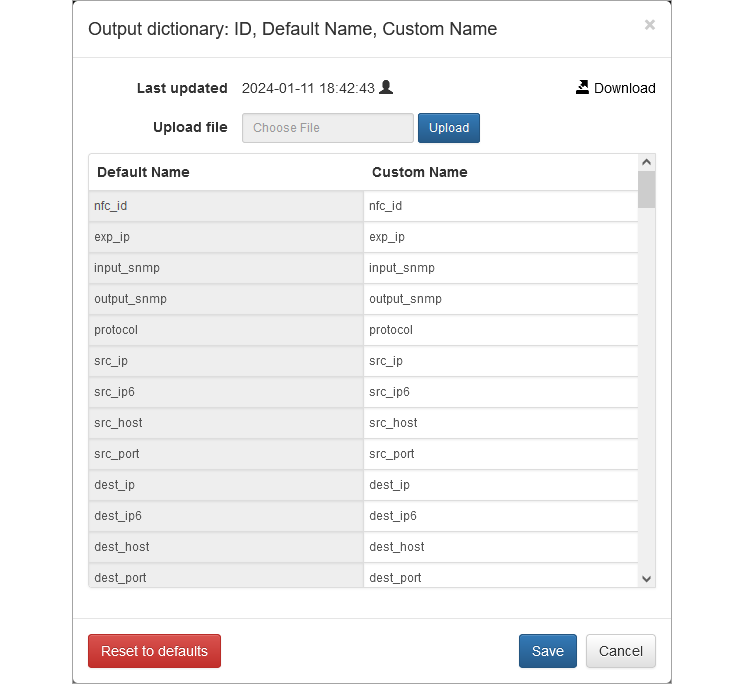
The Output Dictionary is the translation engine of NFO. Every downstream platform (Splunk, Sentinel, Elasticsearch) has its own preferred naming convention for network fields. The Dictionary allows you to map NFO’s output field names to the specific schema required by your destination.
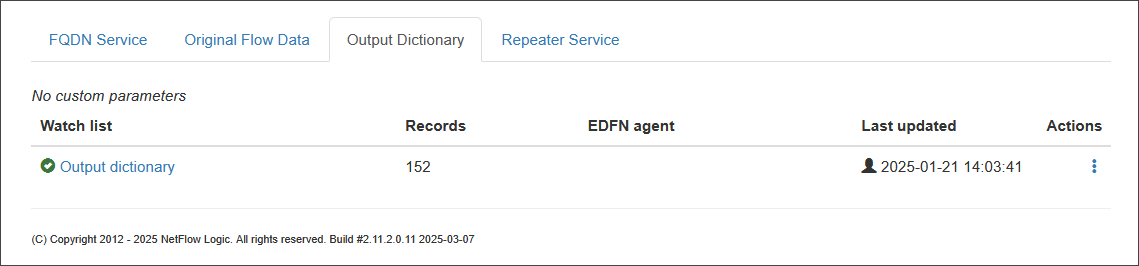
Custom field names, if specified, apply to both, syslog key=value pairs and JSON field names.
Click on the Data set link and override the names you want, or Download the entire list as CVS file, make changes, and Upload.
3. Original Flow Data
Modern network devices often export specialized data known as Private Enterprise Elements. These are non-standard IPFIX fields unique to specific vendors (e.g., proprietary security tags or custom performance metrics).
This service allows you to provide mapping between flow data elements and their corresponding key names in key-value pairs in syslog or JSON output.
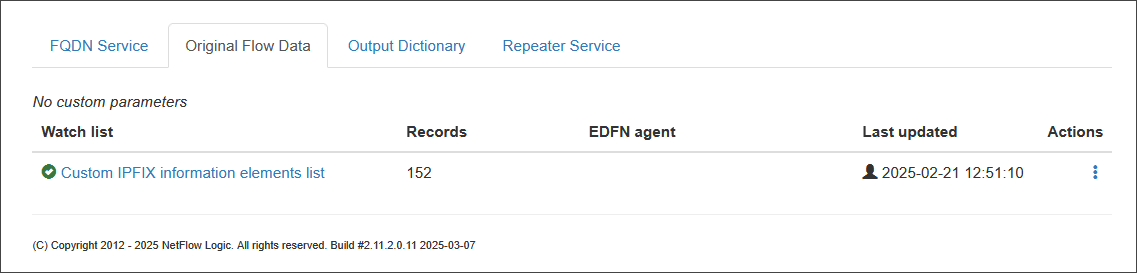
There is one mapping file in this service: Custom IPFIX Information Elements.
It allows you to specify key names for custom enterprise fields in IPFIX, as well as override standard IPFIX elements names. This CSV file has the following format:
PEN, IE ID, Format, Name, Description
Where:
PEN – IPFIX Private Enterprise number, e.g. for Netscaler it is 5951
IE ID – IPFIX Information Element ID
Format – one of the values specified in the table below
Name – key name for this IPFIX element
Description – optional description
| Format | Description | Example |
|---|---|---|
| FMT_NONE | no output | |
| FMT_UNKNOWN | N bytes as hex | 0102DEADBEEF0201 |
| FMT_UINT8_DEC | unsigned integer 1 byte as decimal | 127 |
| FMT_UINT8_HEX | unsigned integer 1 byte as hex | 1F |
| FMT_UINT16_DEC | unsigned integer 2 bytes as decimal | 5000 |
| FMT_FLOW_LABEL | unsigned integer 20 bits as decimal | 106000 |
| FMT_MPLS_LABEL | unsigned integer 3 bytes as text | 17:28:39 |
| FMT_APP_TAG | application tag 1 byte (engine ID) + n bytes (selector) | 1:7000 |
| FMT_HTTP_HOST | HTTP host n bytes: Application ID 4 bytes (engine ID + selector ID), sub-application ID 2 bytes, value (hostname) n bytes | "100:3000,hostA" |
| FMT_TCP_FLAGS | unsigned integer 1 byte as text | "FIN,RST" |
| FMT_UINT32_DEC | unsigned integer 4 bytes as decimal | 77000 |
| FMT_UINT32_HEX | unsigned integer 4 bytes as hex | 01ABCD02 |
| FMT_UINTN_DEC | unsigned integer n bytes as decimal | 9600000 |
| FMT_IPV4 | 4 bytes as text | 127.0.0.1 |
| FMT_IPV6 | 16 bytes as text | 2001:0db8:11a3:09d7:1f34:8a2e:07a0:765d |
| FMT_STRING | n bytes ACSCII as text | "ascii text" |
| FMT_MAC | 6 bytes as text | 00:a1💿12:34:56 |
| FMT_ARR32 | 4 bytes array as hex | 01ABCD02 |
| FMT_ARR64 | 8 bytes array as hex | 01ABCD0201ABCD02 |
| FMT_EVENT | unsigned integer 1 byte as text | "Flow created" |
| FMT_DTIME_SEC | unsigned integer 4 or 8 byte as text (date) | "1985-04-12T23:20:50Z" |
| FMT_DTIME_MSEC | unsigned integer 4 or 8 byte as text (date) | "1985-04-12T23:20:50.001Z" |
| FMT_DTIME_USEC | unsigned integer 4 or 8 byte as text (date) | "1985-04-12T23:20:50.000001Z" |
| FMT_DTIME_NSEC | unsigned integer 4 or 8 byte as text (date) | "1985-04-12T23:20:50.000000001Z" |
4. Repeater & Filter
The Repeater is a feature that allows you to intelligently route incoming NetFlow data to different destinations based on configurable rules. While the service was originally designed for simple data forwarding, its enhanced filtering capabilities enable you to direct a subset of data to specific destinations.
The Repeater functionality is available only on Linux and is limited to retransmitting NetFlow data received via UDP.
How It Works
This service uses a list of filters to determine where to forward data from specific exporters. You can create rules to forward flow data from a particular exporter IP address, or an IP subnet of exporters to a distinct destination.
If a specific destination for the Repeater is not defined in any of the filter rules, it will receive all incoming flows by default.
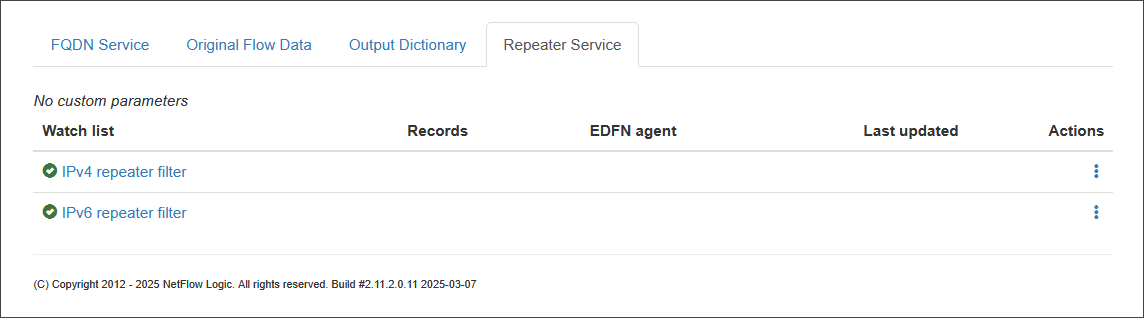
Creating Filters
The filters are defined in lists, which enable you to configure which exporters' flow data is forwarded to which destinations.
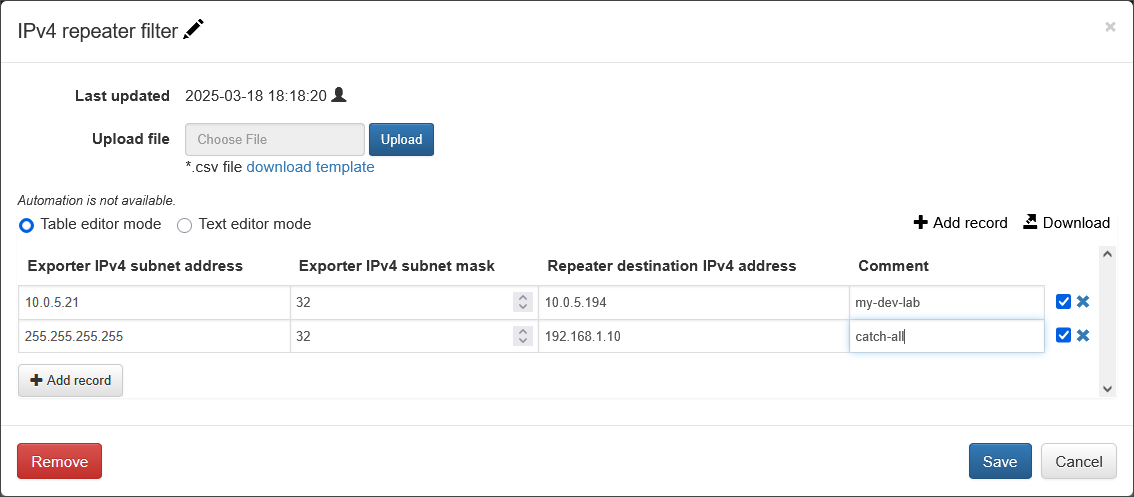
Here is a parameter description for the example you provided.
Parameters
| Parameter Name | Description |
|---|---|
| Exporter IPv4 subnet address | The IPv4 address of the network device you want to filter. This is a crucial part of the filter rule. |
| Exporter IPv4 subnet mask | The subnet mask associated with the Exporter IPv4 subnet address. This defines the range of the network or a specific host to be filtered. |
| Repeater destination IPv4 address | The IPv4 address of the host where the filtered flow data will be forwarded. |
| Comment | An optional, user-defined field to add a description or note about the filter rule. |
IPv4 list example:
Exporter IPv4 subnet address, Exporter IPv4 subnet mask, Repeater destination IPv4 address, Comment
10.0.5.21,32,10.0.5.194,my-dev-lab
IPv6 list example:
Exporter IPv6 subnet address, Exporter IPv6 subnet mask, Repeater destination IPv6 address, Comment
2001:0db8:0003::,64,2001:db8:3:4:5:6:7:f,my-ipv6-dev-lab
Please note: Without Repeater filters all flows are re-transmitted to all "Repeter" destinations. If filters are created, only flows matching exporter subnets are re-transmitted to the corresponding destinations.
Catch-All Destination
A special repeater destination, called catch-all, can be created to capture and retransmit flows from exporters not in the list of subnets. It should be specified as: 255.255.255.255,32.
5. Output Options
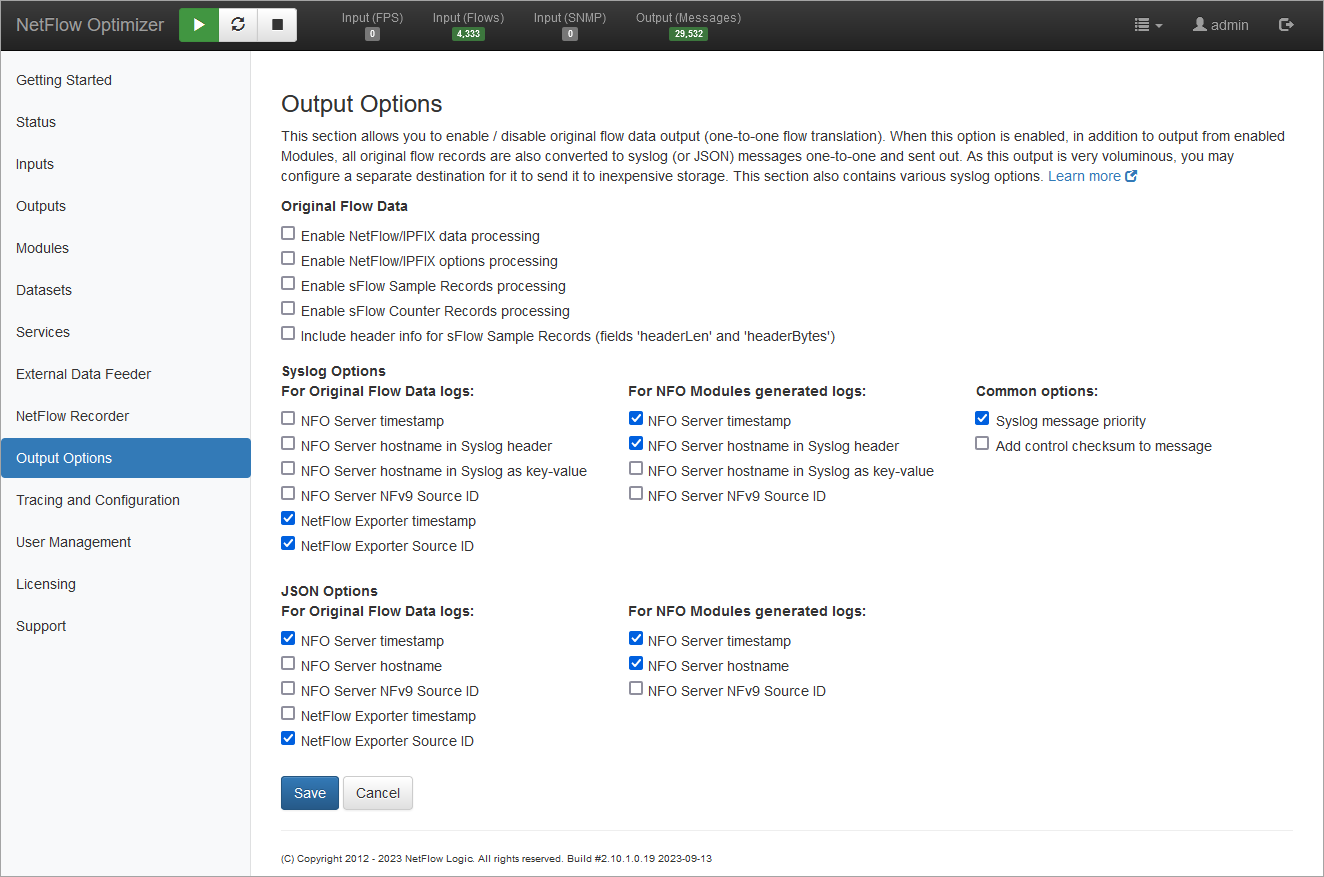
This section allows you to enable or disable Original Flow Data output, providing a one-to-one translation of incoming flows. When enabled, NFO converts all original flow records into Syslog or JSON messages in addition to the data generated by enabled Modules.
Because this output is voluminous, it is recommended to configure a separate destination for it, such as inexpensive storage, e.g. AWS S3 buckets.
This page also contains various syslog and JSON options.
When to use these services?
| Use Case | Recommended Service |
|---|---|
| Security Forensics / "Look-back" | NetFlow Recorder |
| SIEM Field Mapping/Standardization | Output Dictionary |
| Capturing Proprietary Vendor Data | Original Flow Data |
| Routing Data to Legacy NetFlow Collectors or other NFO instances | Repeater Service |
| One-to-One Flow Translation & Global Metadata | Output Options |