Deployment & Configuration
To integrate NFO with New Relic, you will configure a local agent to receive network telemetry and set NFO to push its enriched data stream to that agent.
1. Prepare the New Relic Infrastructure Agent
The New Relic Infrastructure Agent (or the nri-syslog integration) is used to capture the UDP stream from NFO.
Installation
- Log in to your New Relic One account and go to Add Data.
- Search for Syslog and follow the guided installation to install the agent on your NFO host or a dedicated Linux VM.
- During setup, ensure the agent is configured to listen for UDP traffic.
Configuration
By default, the agent often listens on port 514. To change this or verify settings:
- Locate your syslog configuration file (typically
/etc/newrelic-infra/logging.d/syslog.yml). - Ensure the
uriorportmatches the port you intend to use in NFO (e.g.,udp://0.0.0.0:514). - Restart the New Relic Infrastructure service to apply changes.
2. Configure NFO Output
Set up NFO to deliver reduced and enriched logs to the Infrastructure Agent.
- In the NFO GUI, navigate to Data Outputs and click the plus sign (+).
- Type: Select Syslog UDP.
- Address: Enter the IP of the host running the New Relic Agent (use
localhostif it's on the same machine). - Port: Set to
514(or your custom configured port).
3. Verify in New Relic
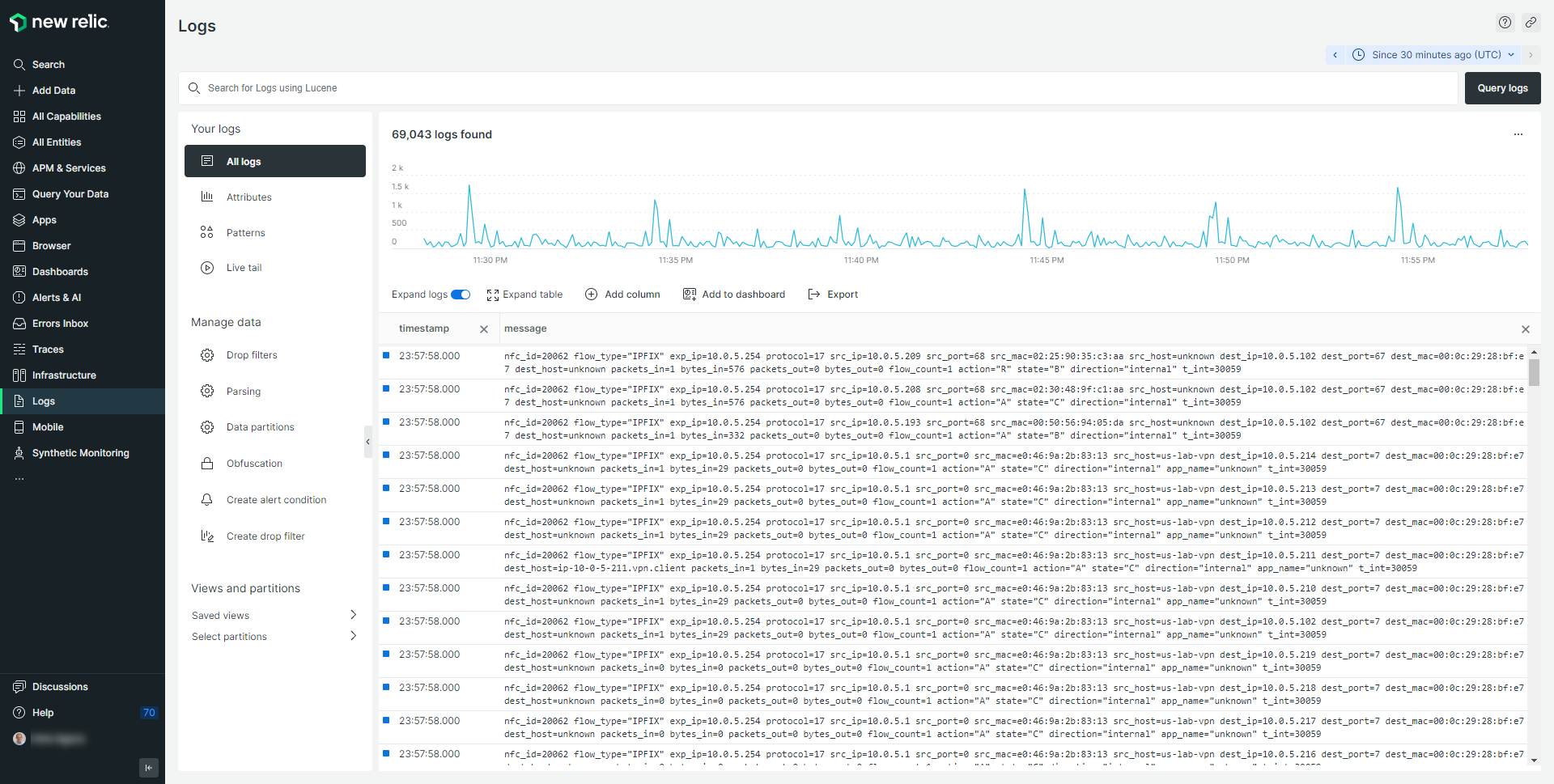
Once the configuration is complete, verify that enriched data is arriving correctly in your New Relic account.
- Navigate to Logs in the New Relic sidebar.
- In the query bar, search for your NFO logs (e.g., service:nfo or nfc_id:20062).
- Confirm that the log entries contain the expected enriched fields, such as src_host, src_ip, and app_name.